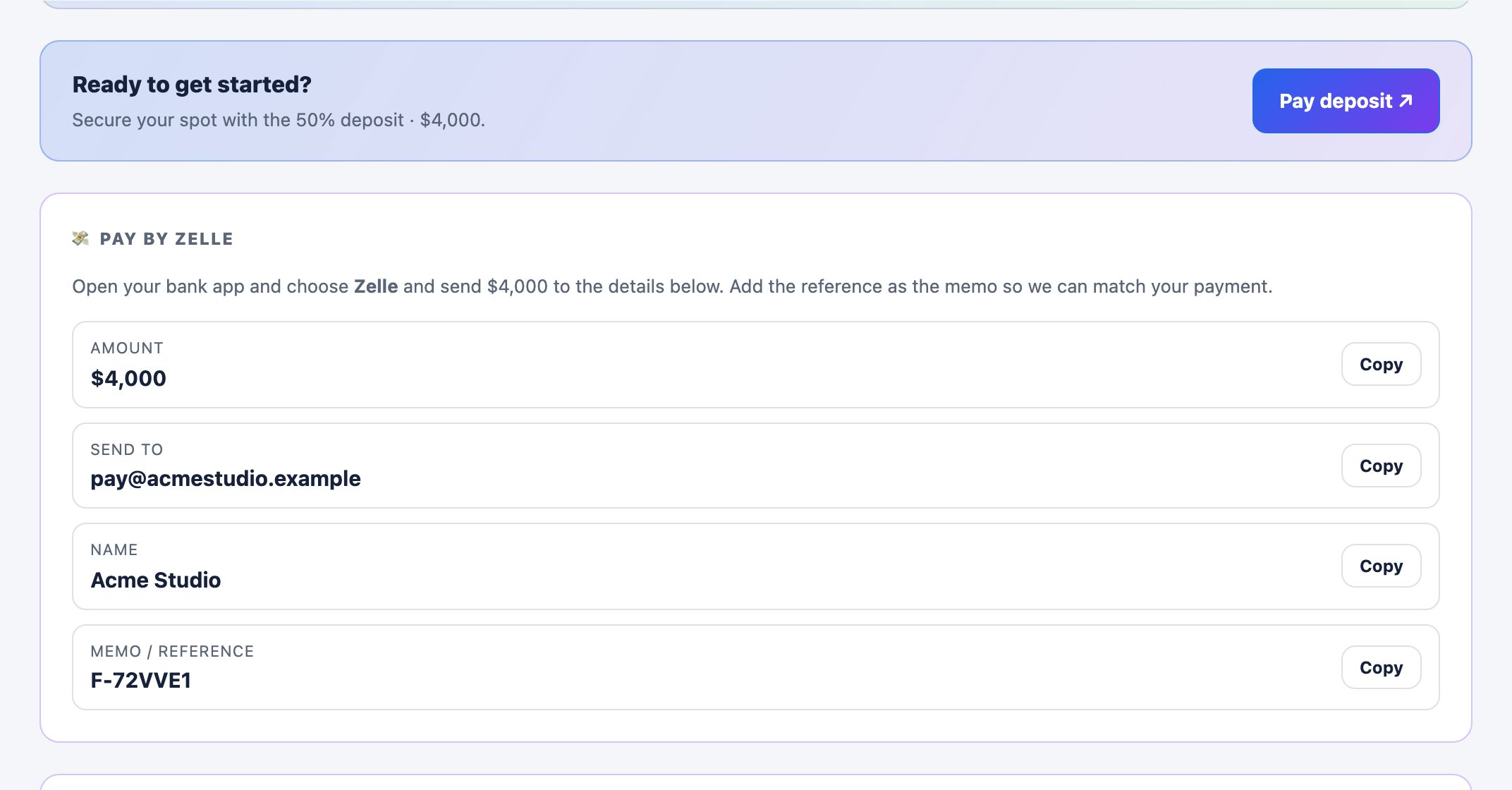
The deposit request, as the client sees it
Bring your own processor
You already have a way to get paid. InForge just puts it on the same branded portal where your client reviews and signs — ready when they are.
Add your pay link or handle
Paste your Stripe payment link, PayPal.Me, or Square link — or add your Zelle, Venmo, or Cash App handle (with an optional QR) — in your settings.
Set the deposit
Choose the deposit split on the quote — say 30% to start, balance on delivery. The amounts calculate automatically.
Sign & pay in one place
Your client reviews, e-signs, and pays the deposit from the same branded portal — the Pay button links straight to your checkout.
You get paid directly
The money goes to your processor account at your own rates. InForge is never in the middle.
Stripe
Paste a Stripe Payment Link and the portal's Pay button sends clients straight to your Stripe checkout.
PayPal
Use a PayPal.Me link or invoice URL — clients pay you through your own PayPal account.
Square
Drop in a Square checkout or payment link and collect deposits the same way.
Prefer no fees? Get paid by app
Card processors take a cut of every payment. Zelle, Venmo, and Cash App don't — the money goes straight to your bank or app. Add your handle and an optional QR, and your client pays from their own app in seconds, with your reference as the memo.
Zelle
Bank-to-bank with no fees. Show your email or phone plus an optional QR — ideal for deposits.
Venmo
Add your @username and QR — clients send from the Venmo app with your reference in the note.
Cash App
Add your $Cashtag and QR — fast, familiar, and straight to you.
Stripe, PayPal, Square, Zelle, Venmo, and Cash App are trademarks of their respective owners. InForge is an independent platform and is not affiliated with or endorsed by them.
Get paid on your own terms
Free to start. Connect your pay link and send a quote clients can sign and pay.
Get started free